


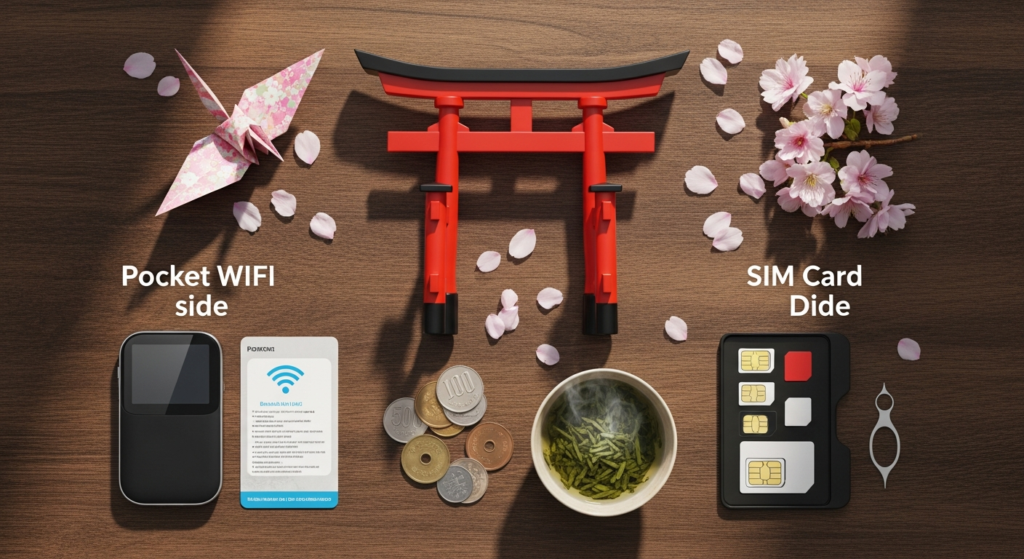
In this comprehensive guide, we’ll dive deep into both popular connectivity solutions, comparing their pros and cons, offering practical advice, and helping you determine the ideal choice for your journey through the Land of the Rising Sun. Whether you’re planning a solo pilgrimage, a family holiday, or an adventurous cycling trip along the Shimanami Kaido, understanding your internet options beforehand is a critical part of your Japan travel planning. Let’s ensure you’re always just a tap away from information, inspiration, and sharing those unforgettable memories!
Why Connectivity Matters for Your Japan Adventure (Especially in Onomichi!)
Imagine this: you’ve just arrived at Onomichi Station, eager to embark on the famous Temple Walk. You pull out your phone, ready to map your route, only to be met with “No Internet Connection.” A minor hiccup? Perhaps, but it can quickly turn into a source of frustration, especially when you’re in a foreign country. Good connectivity isn’t just a luxury; it’s a fundamental tool for modern travel in Japan. Here’s why:
- Effortless Navigation: Google Maps will be your best friend. Whether you’re finding your way through Tokyo’s labyrinthine train stations, cycling the scenic Shimanami Kaido, or locating that charming little cafe tucked away in an Onomichi alley, reliable internet access ensures you never get lost. Public transportation apps like Japan Transit Planner (Jorudan) or Google Maps are indispensable for understanding complex train and bus routes, timetables, and platform numbers.
- Instant Translation: While many Japanese people in tourist areas speak some English, having a translation app like DeepL or Google Translate at your fingertips can bridge communication gaps in local shops, restaurants, or when interacting with residents in more rural areas. Ordering food, asking for directions, or understanding signs becomes much simpler.
- Staying Connected with Loved Ones: Share your incredible experiences in real-time! Upload stunning photos of Onomichi’s cherry blossoms, video call your family from the Peace Memorial Park in Hiroshima, or simply send a quick message to let everyone know you’re safe. Apps like WhatsApp, Line, and Instagram thrive on constant connectivity.
- On-the-Go Information & Research: Spontaneity is part of the fun of travel. With internet access, you can quickly look up opening hours for a museum, read reviews for a restaurant, check the weather forecast, or discover nearby hidden gems that weren’t in your guidebook. Find out if there’s a local matsuri (festival) happening in Hiroshima that day, or research the history of a specific temple in Onomichi.
- Emergency Preparedness: In the rare event of an emergency, being able to contact local services, access emergency information, or reach your embassy is paramount. A reliable internet connection can be a lifeline.
- Digital Payments & Booking: Many services in Japan, from ride-sharing apps to online hotel bookings or even some convenience store transactions, benefit from or require an internet connection. Some local transit passes or digital tickets might also require online activation.
For those exploring Onomichi, this connectivity is particularly valuable. The city’s charm lies in its hilly terrain, historic alleys, and artistic nooks, which are best explored on foot. Having a map and translation app at the ready truly enhances the experience of discovering every hidden staircase and quirky shop. Don’t underestimate the power of being connected – it truly unlocks a richer, more relaxed, and spontaneous travel experience.
Understanding Japan Pocket WiFi: Your Portable Hotspot Companion
One of the most popular connectivity solutions for travelers to Japan is the pocket WiFi. Often referred to simply as “pocket WiFi” or “portable WiFi,” this small, lightweight device acts as your personal mobile hotspot, providing internet access to multiple devices simultaneously. Think of it as a small router you can carry in your pocket or bag.
How Japan Pocket WiFi Works
The Advantages of Choosing Japan Pocket WiFi
- Shareable Connectivity: This is arguably the biggest selling point. A single pocket WiFi device can connect multiple smartphones, tablets, and even laptops at the same time. This makes it incredibly cost-effective for families, couples, or groups traveling together, as you split the cost.
- No Unlocked Phone Required: Your phone doesn’t need to be unlocked to use a pocket WiFi. As long as your device has WiFi capabilities (which almost all modern smartphones do), you can connect. This is ideal for travelers who might be locked into a contract with their home carrier.
- Generally Reliable and Fast: Japan boasts some of the fastest and most reliable mobile networks in the world. Pocket WiFi devices leverage these networks, offering strong signals and fast speeds in most urban and even many rural areas.
- Unlimited or High Data Allowances: Many pocket WiFi rental plans offer “unlimited” data, although most operate under a “fair usage policy.” This means while you might not have a hard cap, excessive data consumption (e.g., constant streaming of 4K video) might lead to temporary throttling of speeds. For typical travel use (navigation, social media, light browsing), these plans are more than sufficient.
- Easy Setup and Use: Once you’ve turned it on and connected your devices, there’s little else to do. No fiddling with APN settings or worrying about losing your home SIM card.
- Dedicated Device for Internet: By offloading internet tasks to a separate device, your phone’s battery life can be preserved for calls, photos, and other functions.
The Disadvantages of Choosing Japan Pocket WiFi
- Another Device to Carry and Charge: While small, it’s still an additional gadget. You’ll need to remember to carry it, keep it charged, and potentially carry an extra power bank for the pocket WiFi itself. Running out of battery means no internet!
- Pickup and Return Logistics: You’ll need to arrange to pick up the device upon arrival (often at major airports like Narita, Haneda, or Kansai International) and return it before departure (usually via postal service from a mailbox or convenience store, or at an airport counter). This requires a bit of planning.
- Single Point of Failure: If the pocket WiFi device runs out of battery, gets lost, or breaks, your entire group loses internet access.
- Not Always Truly “Unlimited”: As mentioned, fair usage policies can mean throttled speeds if you consume an unusually high amount of data. It’s important to check the specific provider’s policy.
- Potential for Loss/Damage Fees: Rental agreements often include hefty fees if the device is lost, stolen, or damaged. Insurance can often be purchased for an additional cost.
- Can Be More Expensive for Solo Travelers: If you’re traveling alone and only need internet for one device, a pocket WiFi might be pricier than a SIM card.
Real Examples and Practical Steps for Japan Pocket WiFi
Several reputable companies offer pocket WiFi rentals for travelers. Some of the most popular include:
- Japan Wireless: Known for competitive pricing and good coverage.
- eConnect Japan: Offers various plans and convenient pickup/return options.
- Rental WiFi (Global Advanced Communications): A long-standing provider with reliable service.
- Ninja WiFi: Often features promotions and quick pickup at major airports.
Booking Process:
- Research and Compare: Visit the websites of several providers. Compare daily rates, data allowances (true unlimited vs. fair usage), battery life claims, and customer reviews.
- Select Your Plan: Choose the rental period that matches your trip duration and the data plan that suits your needs. Many offer discounts for longer rentals.
- Choose Pickup/Return Method:
- Airport Pick-up/Return: Most common. You pick up and drop off at dedicated counters or post office branches within major airports (e.g., Narita, Haneda, Kansai, Chubu). This is highly convenient upon arrival and departure.
- Hotel Delivery: Some providers can deliver the device directly to your first hotel in Japan. Ensure your hotel is aware and accepts packages.
- Post Office Delivery: You can have it delivered to a specific post office branch for pick-up.
- Convenience Store Return: Many providers allow you to return the device by simply dropping it off at a konbini (convenience store) with a pre-paid shipping label.
- Payment: Pay online, typically with a credit card.
- Confirmation: You’ll receive a confirmation email with all the details, including pickup instructions and return procedures.
Cost Examples:
Daily rental costs for a pocket WiFi typically range from 500 JPY to 1,000 JPY per day, depending on the provider, data allowance, and rental duration. For a two-week trip, you might expect to pay between 7,000 JPY and 14,000 JPY. Insurance is usually an optional add-on for around 200-300 JPY per day.
Tips for Using Your Pocket WiFi:
- Charge Daily: Make it a habit to charge your pocket WiFi every night, just like your phone.
- Carry a Power Bank: For long days of sightseeing, especially if multiple people are connected or if you’re exploring areas with limited charging opportunities like the Shimanami Kaido cycling route, a portable power bank for your pocket WiFi is highly recommended.
- Keep it Secure: It’s a valuable rental item. Keep it in a safe place to avoid loss or damage.
- Conserve Battery: If not in use, turn off the pocket WiFi to save battery. Some devices also have power-saving modes.
Diving into Japan SIM Cards: Direct Connection for Your Phone
For those who prefer a more direct and integrated approach to mobile connectivity, a SIM card or eSIM (embedded SIM) is a popular alternative. This option allows your own smartphone to directly connect to Japan’s mobile networks, much like it does in your home country.
How Japan SIM Cards (and eSIMs) Work
A physical SIM card is a small chip that you insert into your phone’s SIM card slot, replacing your home country’s SIM. It contains subscriber information that allows your phone to connect to the Japanese network. An eSIM, on the other hand, is a digital SIM profile that’s downloaded directly to your phone. It functions identically to a physical SIM but without the need for a physical card swap.
The Advantages of Choosing a Japan SIM Card (or eSIM)
- No Extra Device to Carry: Your phone is your internet device. No need for an additional gadget, charger, or worries about forgetting it. This makes packing lighter and simpler, a significant plus for backpackers or minimalist travelers.
- Direct Network Connection: Your phone connects directly to the cellular network, which can sometimes result in marginally faster speeds for a single device compared to connecting to a pocket WiFi’s signal, especially in areas with many connected devices or interference.
- Keeps Your Phone Number (with eSIM or Dual SIM): If your phone supports eSIM, you can often keep your home SIM card active for calls/texts while using the eSIM for data in Japan. If your phone has dual physical SIM slots, you can do the same. This is very convenient for receiving important messages from home.
- Often More Affordable for Solo Travelers: For individuals, a data-only SIM card or eSIM can often be cheaper than renting a pocket WiFi device, especially for shorter trips or if you have modest data needs.
- Easy Disposal/Switching: Once your physical SIM card expires or you leave Japan, you simply swap it out for your home SIM. eSIMs are even simpler; you just delete the profile from your phone’s settings.
- Less Worry About Battery Drainage (for SIM): While using data will drain your phone’s battery, you’re not also powering a separate WiFi device, potentially leaving more juice for your phone itself.
The Disadvantages of Choosing a Japan SIM Card (or eSIM)
- Requires an Unlocked Phone: This is the most crucial requirement. Your smartphone must be “unlocked” from your home carrier to accept a SIM card from a different provider. If your phone is locked, a SIM card will not work. (eSIMs also require an unlocked phone).
- Physical SIM Swapping: If using a physical SIM, you’ll need to remove your home SIM card. There’s a risk of losing your small home SIM, so keep it safe in a SIM card holder or your wallet.
- Data Limits and Throttling: Most prepaid SIM cards for tourists come with specific data allowances (e.g., 5GB, 10GB, unlimited for X days). While some offer “unlimited” plans, these almost always come with strict fair usage policies and aggressive throttling after a certain daily or cumulative data threshold is reached, making it less truly “unlimited” than some pocket WiFi options.
- Setup Can Be More Technical: While often plug-and-play, some SIM cards might require manual configuration of APN (Access Point Name) settings on your phone, which can be daunting for non-tech-savvy users.
- No Easy Data Sharing: While you can use your phone’s personal hotspot (tethering) feature to share data with others, this drains your phone’s battery very quickly and isn’t as efficient as a dedicated pocket WiFi device.
- Compatibility Issues (especially eSIM): Not all phones support eSIM technology, particularly older models. Always check your phone’s compatibility before purchasing an eSIM plan.
- Loss of Home Number: If you use a physical SIM, your home phone number will be inactive until you swap back, meaning you won’t receive calls or texts to that number.
Real Examples and Practical Steps for Japan SIM Cards (and eSIMs)
There are numerous providers for tourist SIM cards and eSIMs in Japan:
- Sakura Mobile: A popular choice for both short-term and long-term SIM cards, offering various data plans and even voice options.
- Mobal: Known for offering SIM cards with actual Japanese phone numbers and data, suitable for longer stays or those needing voice calls.
- b-mobile: A well-known local MVNO (Mobile Virtual Network Operator) that offers prepaid data SIMs.
- IIJmio: Another MVNO offering competitive data-only SIMs.
- Ubigi, Airalo, Holafly: These are popular eSIM providers that offer data plans for Japan. Very convenient for instant activation.
Booking and Activation Process:
- Check Phone Compatibility: Ensure your phone is unlocked and, if opting for eSIM, that it supports eSIM technology.
- Choose Your Plan: Decide on the data allowance and duration. Consider if you need a voice/text option (most tourist SIMs are data-only, but some offer calling apps).
- Purchase Method:
- Online in Advance: Many providers allow you to purchase online and have the physical SIM delivered to your home address before you travel, to your hotel in Japan, or available for pickup at an airport counter. For eSIMs, you’ll receive a QR code via email instantly.
- Airport Vending Machines/Counters: Major international airports have vending machines or counters selling tourist SIMs.
- Electronics Stores: Large electronics retailers like Bic Camera or Yodobashi Camera also sell prepaid SIM cards.
- Activation:
- Physical SIM: Insert the SIM card into your phone. In most cases, it will automatically connect. If not, you may need to manually configure the APN settings (instructions are usually provided with the SIM card or on the provider’s website).
- eSIM: Scan the QR code provided by the vendor. Follow the on-screen prompts to download and activate the eSIM profile. This usually takes just a few minutes.
Cost Examples:
Tips for Using Your Japan SIM Card/eSIM:
- Backup Your Home SIM: If using a physical SIM, store your original SIM card safely. A small SIM ejector tool and a tiny case are handy.
- Check APN Settings: Have the APN settings ready from your provider’s website, just in case automatic configuration fails.
- Monitor Data Usage: Keep an eye on your data consumption, especially with capped plans, to avoid running out or hitting throttling limits. Most phones have built-in data usage trackers.
- Consider Dual SIM/eSIM: If your phone supports it, this is a fantastic option as you can keep your home number active for important communications while using the Japan SIM/eSIM for all your data needs.
Japan Pocket WiFi vs SIM Card: Making the Right Choice for Your Trip
Now that we’ve explored both options in detail, let’s compare Japan pocket wifi vs SIM card side-by-side to help you make an informed decision tailored to your travel needs. The “best” option isn’t universal; it depends entirely on your specific circumstances.
When to Choose Japan Pocket WiFi
Pocket WiFi is often the superior choice if any of these describe your situation:
- Traveling in a Group or Family: If you’re with 2 or more people, sharing a single pocket WiFi device is almost always more economical and convenient than each person getting their own SIM card.
- Multiple Devices: If you’re bringing a smartphone, a tablet, and perhaps even a laptop, a pocket WiFi can connect them all seamlessly.
- Unlocked Phone Not Available: If your phone is locked to your home carrier and you can’t get it unlocked, pocket WiFi is your go-to solution.
- Preference for Simplicity: You don’t want to deal with swapping SIM cards, configuring APN settings, or worrying about losing your home SIM. Just turn it on and connect.
- Heavy Data Users (with true unlimited plans): If you anticipate needing a lot of data for streaming, video calls, or extensive navigation and research, some pocket WiFi plans offer more genuinely generous “unlimited” data (within fair usage) compared to capped SIM cards.
- Longer Trips: For trips extending beyond two weeks, the daily cost of a pocket WiFi can sometimes be more competitive, especially for groups.
When to Choose a Japan SIM Card (or eSIM)
A SIM card or eSIM might be the better fit if:
- Solo Traveler: For individuals, a data-only SIM or eSIM is often more cost-effective than renting a pocket WiFi.
- Unlocked, eSIM-Compatible Phone: If you have an unlocked phone, particularly one that supports eSIM, this option offers ultimate convenience with no physical device to carry.
- Light to Moderate Data User: If your internet needs are primarily for navigation, messaging, social media, and occasional browsing, a capped data SIM is likely sufficient and cheaper.
- Prefer Less Clutter: You don’t want to carry an extra device, remember to charge it, or worry about its battery life.
- Keep Your Home Number Active: If using an eSIM or a dual-SIM phone, you can maintain connectivity on your home number while using the Japanese SIM for data. This is invaluable for receiving verification codes or important calls/texts.
- Short Trips: For very brief stays (a few days), a small data package eSIM might be the quickest and cheapest solution.
Scenario Examples to Help You Decide:
- The Family Exploring Onomichi’s Temples and Hiroshima’s History: A family of four with two adults and two children (all with smartphones/tablets for games and photos) would benefit most from a Pocket WiFi. They can all connect simultaneously, ensuring everyone stays entertained and navigated, with one central device to manage.
- The Solo Digital Nomad Working from a Cafe in Shibuya and Touring Kyoto: A solo traveler with an unlocked, eSIM-compatible phone who needs constant, reliable data for work and leisure might prefer an eSIM. It’s less to carry, instantly activated, and integrates seamlessly with their phone.
- The Couple Cycling the Shimanami Kaido: This is a close call and depends on personal preference. If both have unlocked phones, two data SIMs or one Pocket WiFi could work. A Pocket WiFi might be slightly more convenient as it’s one device to worry about, and its battery can last for a full day’s ride, sharing data for navigation, photos, and finding the best cycling-friendly cafes.
- The Traveler on a Short Business Trip to Osaka and a Weekend in Onomichi: For a quick trip, especially if the phone is unlocked, an eSIM offers immediate data access without the hassle of picking up or returning a physical device, making it ideal for efficiency.
Practical Tips for Staying Connected in Japan
Regardless of whether you choose Japan pocket wifi vs SIM card, these general tips will help ensure your connectivity experience in Japan is smooth and hassle-free:
- Pre-book Everything! For both pocket WiFi and SIM cards, booking well in advance (weeks, not days) is highly recommended. Popular options can sell out, and pre-booking often secures better rates and guarantees availability for your preferred pickup/delivery method.
- Carry a Power Bank (Mōbairu Battarī): This cannot be stressed enough. Whether it’s for your pocket WiFi, your smartphone running a SIM, or both, a fully charged power bank is your best friend during long days of exploring. Japan is very power-bank friendly, with charging often available in cafes and train stations.
- Utilize Free Wi-Fi: Japan has an increasing number of free public Wi-Fi hotspots. Look for “Japan Free WiFi” or “Travel Japan WiFi” in major cities, airports, train stations (especially JR stations), convenience stores (konbini like 7-Eleven, FamilyMart, Lawson), cafes, and hotels. While not always reliable enough for continuous navigation, they’re great for quick checks or saving data.
- Check Coverage Maps: If you’re planning to visit very remote areas, especially for hiking or exploring less-populated islands, check the coverage maps of the specific carrier (NTT Docomo, Softbank, au) that your pocket WiFi or SIM card uses. While coverage is generally excellent, some truly remote spots might have weaker signals.
- Understand Data Limits & Fair Usage Policies: Don’t just assume “unlimited” means truly unlimited. Always read the fine print. Excessive usage might lead to throttled speeds, which can be frustrating when you’re relying on your internet.
- Download Offline Maps: Before you leave your hotel or a strong Wi-Fi zone, download offline maps of the areas you plan to visit (e.g., Onomichi, Hiroshima city, Shimanami Kaido). Google Maps allows this, as do apps like MAPS.ME. This provides a crucial backup if your internet connection fails or your battery dies.
- Inform Your Bank/Credit Card Company: Let your financial institutions know you’ll be traveling to Japan to avoid your cards being flagged for suspicious activity.
Exploring Onomichi and Hiroshima with Confidence
With your connectivity sorted, you’ll be able to fully immerse yourself in the wonders of the Seto Inland Sea region. Imagine effortlessly navigating the charming slopes of Onomichi’s historic Temple Walk, using Google Maps to pinpoint every scenic viewpoint and hidden shrine. You can instantly translate the menu at a local okonomiyaki restaurant in Hiroshima, ensuring you savor every delicious bite of the regional specialty. Share your breathtaking photos of the Atomic Bomb Dome or Miyajima’s floating torii gate with friends and family back home, all in real-time.
For cyclists tackling the Shimanami Kaido, reliable internet means you can track your route, check weather updates, find bike repair shops, and even research the best ramen spots in Imabari or Onomichi itself. Whether you opt for a Japan pocket wifi vs SIM card, having that peace of mind means you can focus on creating unforgettable memories, embracing every spontaneous detour, and truly connecting with the rich culture and stunning landscapes of this incredible part of Japan.